


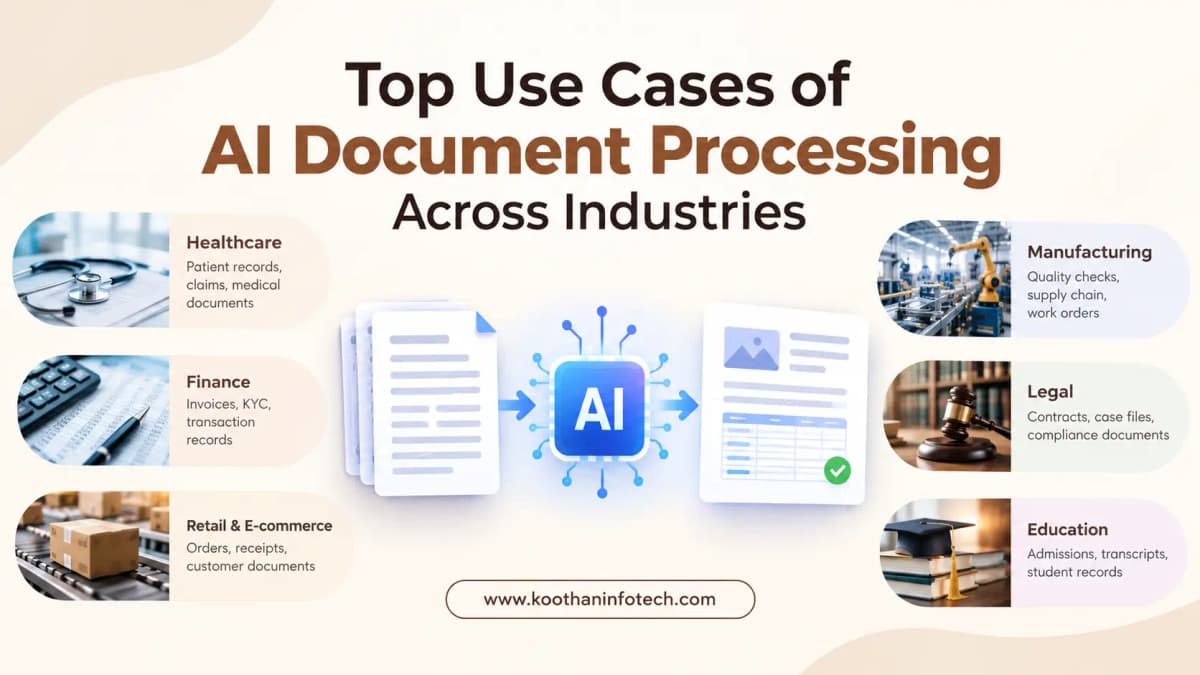
Businesses handle thousands of documents every day. Invoices, contracts, insurance forms, customer applications, medical records, purchase orders, bank statements, and internal reports all contain information that needs to be reviewed, entered, verified, and stored.
When these tasks are handled manually, employees spend significant time reading documents and transferring information between systems. Errors can also occur when data is entered incorrectly or important details are overlooked.
Modern document automation helps businesses reduce this manual workload. It can read information from digital files and scanned documents, identify important fields, classify documents, and send extracted information to the appropriate business system.
The value is not limited to one sector. Banks, hospitals, insurance companies, legal firms, logistics providers, retailers, and government organizations can all apply document automation to everyday processes.
What Is AI-Based Document Processing?
AI Document Processing uses technologies such as optical character recognition (OCR), natural language processing (NLP), machine learning, and document understanding to capture and interpret information from different types of files.Unlike basic data-entry software, these systems can work with documents that have different layouts and structures. They can identify names, dates, invoice numbers, amounts, addresses, clauses, and other relevant information based on the document's content.
For businesses, the main goal is simple: turn document-based information into usable digital data with less manual effort.
Top Use Cases of AI Document Processing Across Industries
AI document processing helps businesses automate data extraction, classification, verification, and document workflows across multiple industries.Explore practical use cases in banking, healthcare, insurance, finance, logistics, legal services, HR, and more
1. Invoice Processing in Finance and Accounting
Invoice handling is one of the most common areas for document automation.Finance teams may receive invoices through email, supplier portals, paper copies, or PDF attachments. Each invoice can have a different design, making manual entry time-consuming.
An automated system can identify details such as:
Supplier name
Invoice number
Invoice date
Purchase order number
Tax information
Line items
Total amount
Payment terms
The extracted information can then be checked against purchase orders and accounting records before being sent for approval.This can shorten invoice processing cycles and reduce repetitive data-entry work for accounts payable teams.
2. Banking and Financial Services
Financial institutions deal with large volumes of customer and transaction documents.Loan applications, income statements, bank statements, identity forms, and supporting financial records often need to be reviewed before an application can move forward.
Document automation can help banks collect information from these files and organize it for further analysis. Instead of employees manually searching through every page, relevant information can be presented in a structured format.
Common applications include:
Loan document processing
Customer onboarding
Financial statement extraction
Application verification
Account opening
Compliance documentation
The technology can also help identify missing information and route documents to the appropriate department.
3. Insurance Claims Processing
Insurance companies receive many documents when customers submit claims. Depending on the type of claim, these may include claim forms, repair estimates, medical records, photographs, invoices, and supporting reports.Automated document analysis can extract relevant information from these materials and organize it for claims teams.
For example, a system may identify policy numbers, claim dates, service costs, customer details, and other important fields.
This can reduce the amount of manual document review involved in routine claims and allow employees to focus on cases that require closer attention.
4. Healthcare Records Management
Hospitals and healthcare organizations manage a wide range of records, including patient forms, referral documents, laboratory reports, prescriptions, insurance paperwork, and clinical notes.Converting information from these documents into structured digital records can be difficult when the organization relies heavily on paper or scanned files.
Document automation can assist with:
Patient registration forms
Medical report extraction
Insurance documentation
Referral processing
Laboratory records
Administrative paperwork
Healthcare organizations must, however, pay close attention to privacy, access controls, data protection, and regulatory requirements when implementing such systems.
5. Contract Analysis for Legal Teams
Legal departments and law firms often work with lengthy contracts containing important terms, dates, obligations, and conditions.
Searching through every document manually can take considerable time, particularly when an organization manages hundreds or thousands of agreements.
Automated document analysis can identify specific information such as:
Contract parties
Effective dates
Renewal dates
Payment terms
Termination conditions
Confidentiality clauses
Key obligations
This does not eliminate the need for legal professionals. Instead, it can help them locate relevant information faster and spend more time on interpretation and decision-making.
6. Mortgage and Loan Application Processing
Mortgage providers and lenders collect numerous documents from applicants. These may include salary slips, tax records, bank statements, identification documents, employment records, and property-related paperwork.
Reviewing these documents manually can slow down application processing.
Automated extraction can capture information from submitted documents and organize it for underwriting teams. Systems can also flag missing fields or inconsistencies for further review.This creates a more organized workflow from document submission through verification.
7. Logistics and Supply Chain Documentation
The logistics sector depends on a constant flow of paperwork. Shipping invoices, bills of lading, purchase orders, delivery receipts, customs forms, and supplier documents all contain information required for daily operations.
Automated extraction can capture shipment numbers, product quantities, supplier information, delivery dates, charges, and other operational details.
The information can then be transferred to ERP, warehouse, transportation, or procurement systems.For companies handling large shipment volumes, reducing manual entry can make document-heavy operations much easier to manage.
8. Government and Public Sector Documents
Government departments process applications and records at a large scale.Examples include permits, registration forms, tax documents, benefit applications, licenses, and citizen service requests.Automated document processing can help classify incoming files, extract relevant information, and direct applications to the correct workflow.
This is particularly useful for departments that still receive information through a mixture of paper forms, scanned documents, emails, and digital submissions.
9. Human Resources and Employee Records
HR departments handle documents throughout an employee's lifecycle.Recruitment forms, resumes, offer letters, tax forms, employment agreements, certificates, and other records need to be collected and organized.
Automated extraction can capture information from resumes and employee forms, helping HR teams populate internal systems without entering every field manually.It can also support onboarding workflows by checking whether required documents have been submitted.
10. Real Estate Document Management
Real estate businesses manage contracts, property records, lease agreements, inspection reports, purchase documents, and tenant applications.Important information can be spread across documents with different formats and layouts.Automated extraction can help identify property addresses, agreement dates, rental amounts, contract terms, tenant details, and other relevant fields.
Property management companies can then connect this information with their existing systems for easier record management.
11. Retail and E-Commerce Operations
Retailers receive documents from suppliers, distributors, logistics companies, and customers.
Purchase orders, supplier invoices, product catalogs, delivery documents, and return forms are common examples.
Automated document workflows can capture information from these files and send it to inventory, procurement, finance, or customer service systems.
This can reduce delays between receiving a document and taking the required business action.
12. Procurement and Supplier Management
Procurement teams regularly exchange documents with suppliers.Supplier registration forms, quotations, purchase orders, invoices, certificates, and agreements may all need to be reviewed before a supplier can be approved.
Automated extraction can collect supplier information and organize it for procurement teams.
Businesses can also use document workflows to identify missing information and route submissions for approval.
Benefits Across Different Industries Using AI In Documenting
Although the applications vary, several benefits are common across sectors.
Less Manual Data Entry
Employees spend less time copying information from documents into spreadsheets and business applications.
Faster Processing
Documents can move through workflows more quickly because information can be captured and routed automatically.
Fewer Data-Entry Errors
Automated extraction reduces the risk of mistakes associated with repetitive manual typing. Human review can still be added where accuracy is particularly important.
Better Document Organization
Information extracted from documents can be stored in structured systems, making it easier to search, retrieve, and analyze.
Easier Workflow Integration
Extracted data can be connected with CRM, ERP, accounting, HR, healthcare, banking, and other business applications.
Improved Employee Productivity
Instead of spending most of their time reading and entering routine information, employees can concentrate on exceptions, customer requests, analysis, and decisions.
What Should Businesses Consider Before Implementation?
Document automation is not simply a matter of uploading files and extracting text. A successful implementation depends on the type of documents, data quality, workflow requirements, integrations, and level of human review needed.
Document types: What files need to be processed—PDFs, scans, forms, emails, or images?
Data requirements: Which fields need to be extracted?
Accuracy requirements: Which documents require human verification?
Integrations: Where should the extracted information go?
Security: How will sensitive documents and extracted data be protected?
Workflow: What should happen after information is extracted?
Volume: How many documents are processed each day or month?
Answering these questions before development can help organizations select the right architecture and processing approach.
The Role of AI Development Services in Document Automation
Organizations with specialized document workflows may need more than an off-the-shelf product. A custom solution can be designed around specific document types, business rules, databases, approval processes, and existing software. Koothan Infotech is best ai development services for businesses that want to automate document-heavy processes while connecting them with their existing technology environment.
A custom system can include document classification, OCR, information extraction, validation, workflow automation, API integration, dashboards, and human-review mechanisms based on the business requirement.
Final Thoughts
Document-heavy processes exist in almost every industry, but the challenges are different from one business to another. A bank may need to process loan documents, while an insurance company may focus on claims and a logistics company may deal with shipping records.
The common opportunity is to reduce repetitive document handling and make business information easier to access and use.
The right automation strategy should therefore begin with the workflow rather than the technology. By identifying where employees spend the most time on document-related tasks, businesses can select practical areas for automation and gradually expand their use of intelligent document workflows. Koothan Infotech can help businesses plan and develop document automation solutions based on their operational requirements, document formats, integrations, and workflow needs.